Office Medic ECG capture performance issue on slower CPUs
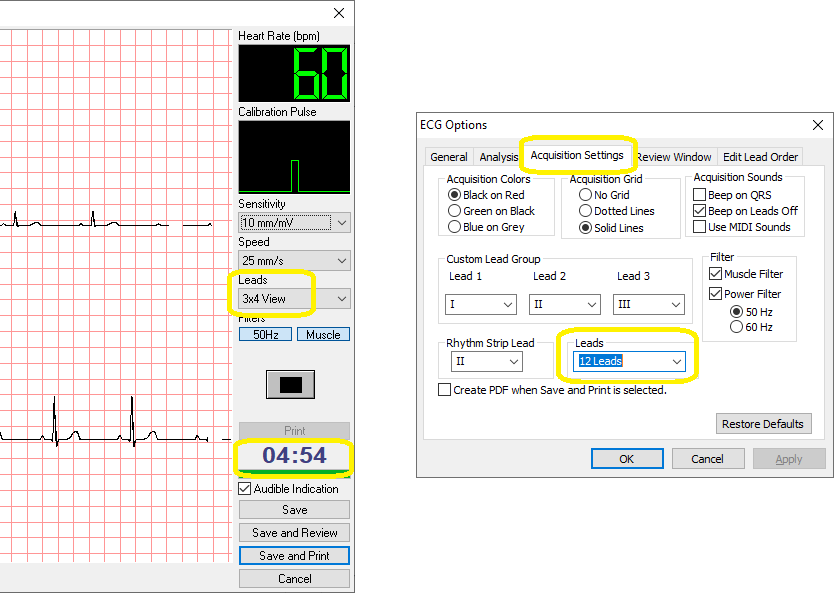
On Intel Atom and Celeron CPUs (and systems with slower processors), if an ECG test is run with the Leads view set to 3x4 View, the timer may appear to lag at times and Office Medic may crash after a minute or two. If you see the timer misbehaving, it could be this issue or it could be an issue with the latency setting for the FTDI adaptor used with the ECG.
To work around this specific performance issue:
- Open Office Medic from the icon on the desktop
- Go to the Options menu, then to ECG…
- Click on the Acquisition Settings tab, then change the Leads dropdown to 12 Leads - this will adjust the default view when capturing an ECG
- Click OK and close Office Medic
Need Help?
LEMR customers can get help by contacting LEMR Support.