Norav PC-ECG Missing Patients After Updating Software
Problem
When updating Norav PC-ECG, past patients may be moved to an archive folder and are no longer visible in the application. You may notice that records are missing from the list of past tests inside the Resting ECG application.
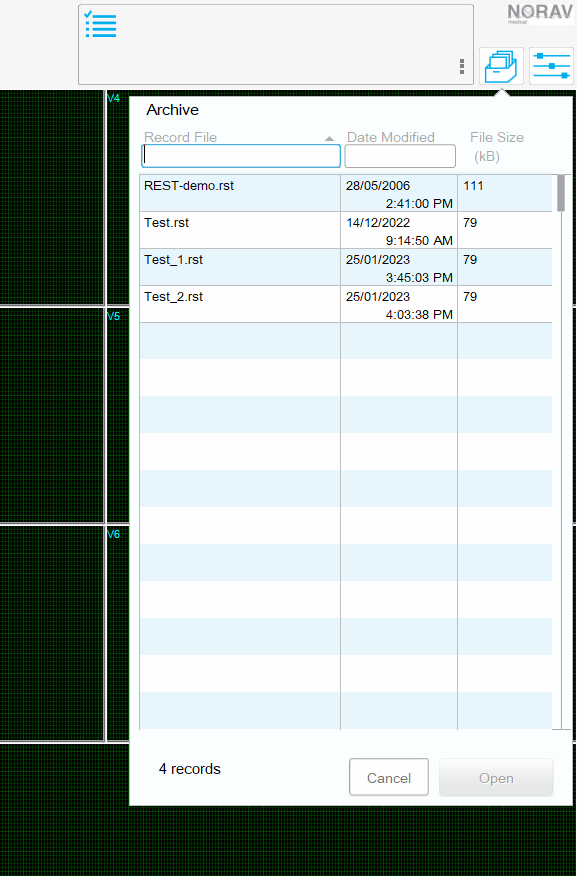
The ECG Archive list inside of PC-ECG only contains recent test ECGs.
Solution
Norav PC-ECG stores its test files in the following folder:
C:\ProgramData\NoravMedical\PCECG\Data
We have observed that when PC-ECG is updated, it will move previous tests to the following folder:
C:\ProgramData\NoravMedical\PCECG\Data\Archived
Resting ECGs are stored as *.rst (RestECG File) files.
To restore the archived files:
- Navigate to:
C:\ProgramData\NoravMedical\PCECG\Data\Archived - Select all of the files in this folder and copy them.
- Navigate to:
C:\ProgramData\NoravMedical\PCECG\Data - Paste the files.
- Restart Norav PC-ECG.
Need Help?
LEMR customers can get help by contacting LEMR Support.